The Ultimate Handheld Printer Buying Guide: 10 Essential Factors to Consider (2026)
Buying a handheld printer isn't rocket science, but there are a few things you need to get right. This guide walks you through the 10 most important factors — from ink types and print resolution to battery life and total cost. No fluff. Just what you need to know before you buy.
TL;DR / Key Takeaways:
- Match the ink to your surface: water-based for cardboard/wood, solvent for plastic/glass/metal
- Choose an accurate DPI: 300 DPI is fine for text and dates, 600 DPI is for tiny barcodes or logos
- Check your max print height: most printers do 0.5 to 2 inches
- Battery life matters: look for 8+ hours if you print all day
- Think long-term cost: ink and maintenance add up faster than the sticker price
- Go cordless: lightweight, battery-powered models save your back and your sanity
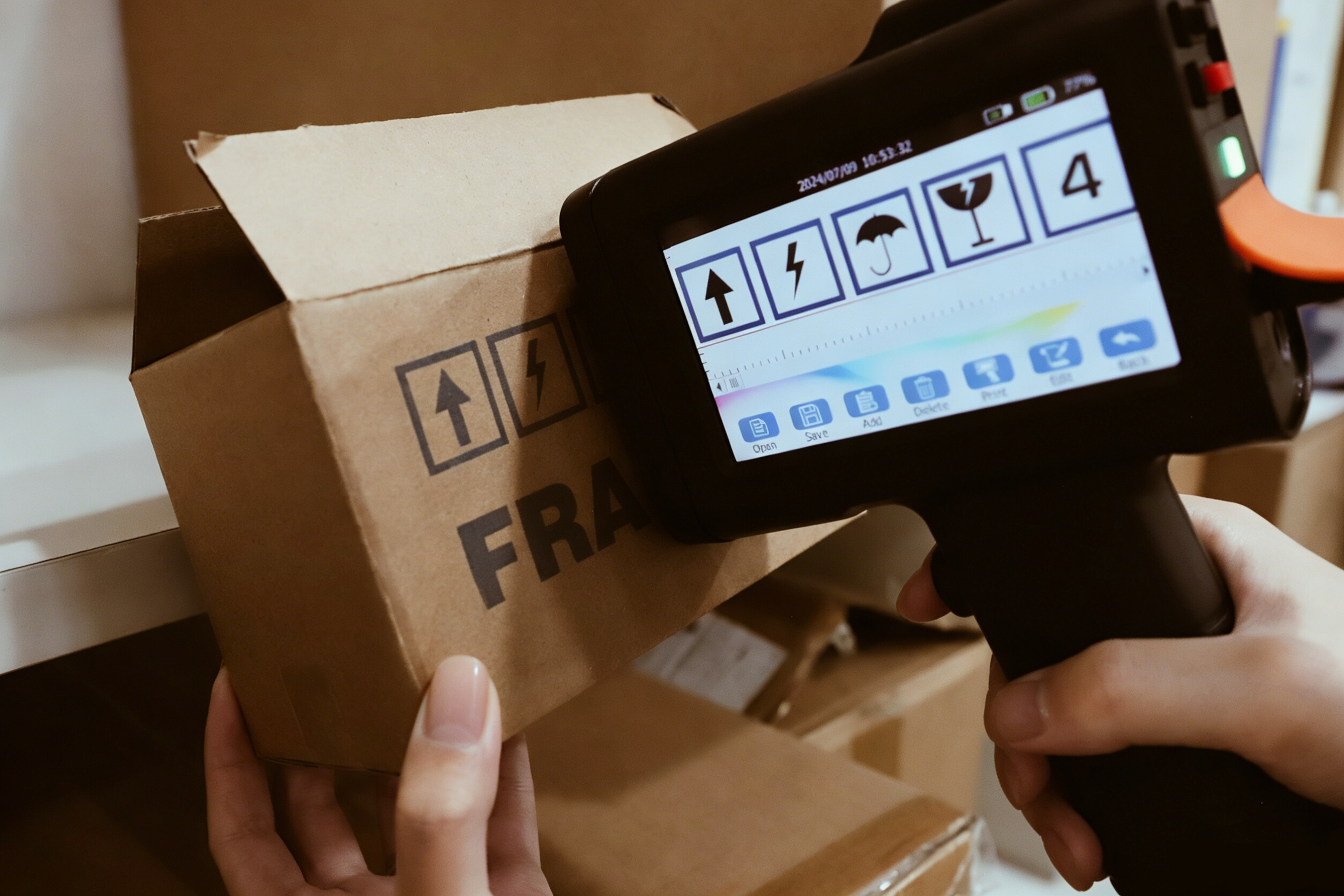
Beyond operational efficiency, many businesses are shifting to direct-to-package coding as an eco-friendly printing choice to meet sustainability goals. Less paper waste. Less energy. Smaller carbon footprint.
Top 10 Things to Consider When Buying a Handheld Printer
1. Surface Compatibility
Not all surfaces are the same. Some soak up ink. Some don't.
- Porous surfaces (cardboard, wood, paper, untreated drywall): ink sinks in and dries fast. Easy.
- Non-porous surfaces (plastic, glass, metal, foil, glossy coated boxes): ink sits on top. Needs special fast-dry ink or it will smear.
If you print mostly on cardboard boxes, you're fine with basic ink. If you need to mark plastic pouches or glass bottles, you need a printer that handles non-porous surfaces.
2. Ink Type Selection
There are two main types of ink for handheld printers. Pick the wrong one and your codes will rub right off.
- Water-based ink: Best for paper, cardboard, and wood. Cheap. Low odor. Eco-friendly. But it won't stick to plastic or glass.
- Solvent ink (fast dry): Best for plastic, glass, metal, and coated surfaces. Dries in seconds. Very durable. Slightly stronger smell, but it works where water-based fails.
When choosing the right ink for your handheld printer, ask yourself one question: what surface am I printing on? That's it. That's the whole secret.
3. Print Resolution
DPI stands for dots per inch. More dots = sharper print.
- 300 DPI: Good for dates, batch codes, and most text. Works fine for standard barcodes. Uses less ink.
- 600 DPI: Sharp and clean. Needed for tiny text, small QR codes, or detailed logos. Uses more ink.
Here's a simple rule: if you can read it clearly with your eyes, 300 DPI is probably fine. If you need a magnifying glass or a barcode scanner to check it, go with 600 DPI.
4. Maximum Print Height Requirements
How tall do your letters or codes need to be? Most handheld printers print between 0.5 inches (12.7mm) and 2 inches (50mm).
- Small jobs (dates, batch codes, short text): 0.5 inches is plenty
- Big boxes or pallets: look for 1 inch or taller
- Warehouse signage: some wide-format models go up to 2 inches
Measure your current labels. Add a little extra. That's your number.
5. Software, Connectivity & Supported Formats
You don't need a computer science degree to run a handheld printer. But you do need to check a few things:
- File formats: Most printers accept JPEG, PNG, BMP for images, and TXT or CSV for variable data (dates, batch numbers).
- USB drive support: Very common. Plug in a USB stick, load your files, print.
- Bluetooth or WiFi: Nice to have, but not required for most food/warehouse work.
- Dynamic QR codes: If you need scannable codes with changing data (like a QR that links to a different webpage per batch), make sure your printer supports variable data.
Speaking of QR codes, make sure your software supports dynamic QR codes to prepare for the 2D barcode revolution and GS1 Sunrise 2027 standards. Retailers are moving to 2D barcodes, and you don't want to be left behind.
6. Battery Capacity and Fast-Charging Features
A dead printer is a useless printer. Check two things:
- Run time: Look for 8 hours or more of continuous use. That covers a full shift.
- Charging: USB-C is the new standard. Fast charging is a bonus.
Longer is better. Some printers run 16 hours on a single charge — enough to cover two full shifts without stopping. That's more useful than carrying spare batteries. Choose a printer that outlasts your workday, not one that dies halfway through.
7. Ergonomics and Weight for Prolonged Use
You're going to hold this thing. All day. Your wrist and shoulder will thank you for paying attention to weight and grip.
- Weight: Under 1 pound (450g) is ideal. Over 2 pounds gets heavy fast.
- Handle design: Pistol grip is easier on your wrist than a straight box.
- Balance: Top-heavy printers tip forward.
A lightweight, well-balanced printer isn't a luxury. It's a productivity tool.
8. Print Speed for Assembly and Production Lines
If you're printing one box every minute, speed doesn't matter. If you're on a moving production line, it matters a lot.
- Slow (under 10 meters/minute): Fine for handheld use, one box at a time
- Medium (10–30 m/min): Good for most small production lines
- Fast (30+ m/min): For high-speed automated lines
Most handheld printers list a max speed in meters per minute. Cut that number in half for real-world use with curved or uneven surfaces.
9. Total Cost of Ownership
The sticker price is just the beginning. Ink, maintenance, and downtime add up fast.
What to look for:
- Ink cost per cartridge: Cheaper isn't always cheaper if the cartridge runs out twice as fast
- Cartridge life: Measured in characters or milliliters. 42ml is standard. 2 million characters is good.
- Maintenance: Do you need to clean the head daily? Weekly? Never?
- Downtime: How long to change a cartridge? 30 seconds or 10 minutes?
When calculating your total cost of ownership, comparing handheld inkjet printers vs. traditional labeling methods reveals significant savings on adhesive materials and labor. No sticky labels. No backing paper. No minimum orders.
10. Manufacturer Warranty and Technical Support
Stuff breaks. That's life. What matters is how fast you get back up and running.
- Warranty length: 12 months is the industry standard. Avoid sellers offering only 30 days.
- Support channels: Look for phone, WhatsApp, and email. Email-only support means waiting days for a reply.
- Documentation: Make sure they provide user manuals, video guides, and FAQs. You shouldn't have to beg for basic instructions.
Industrial Application Examples and Use Cases
Global demand for portable coding equipment is driven by traceability regulations in food and pharma. According to Mordor Intelligence: Coding and Marking Market Growth, the market is expanding fast as companies move away from pre-printed labels.
- Application 1: Logistics and Warehousing
Printing GS1-compliant barcodes on corrugated boxes for global shipping. Following GS1 Standard Guidelines for Barcodes ensures your codes scan everywhere from Ohio to Osaka.
- Application 2: Food and Beverage Packaging
Printing lot codes and expiration dates directly on glass bottles or plastic wrappers to meet FDA traceability standards. The FDA Food Traceability Rule requires detailed recordkeeping, and clear, scannable batch codes are the first step. This is especially true when utilizing affordable traceability solutions for food manufacturers to stay compliant without breaking the bank.
Frequently Asked Questions
Q1: How long does a handheld printer ink cartridge last?
A standard 42ml cartridge prints about 2 million characters. That's roughly 100,000 expiration dates or 30,000 barcodes. Your mileage will vary based on how much you print per job.
Q2: Can handheld printers print on curved surfaces?
Yes, most can handle gentle curves like bottles or cans. Extreme curves (like a tiny pill bottle) are trickier. Look for a printer with a roller guide or adjustable print head for better results on round objects.
Q3: What is the difference between solvent and aqueous ink?
- Aqueous (water-based): Best for paper, cardboard, wood. Low odor. Eco-friendly. Won't stick to plastic or glass.
- Solvent (fast dry): Best for plastic, glass, metal. Dries fast. Very durable. Slightly stronger smell.
Pick the one that matches your surface. If you print on both, get a printer that can swap between ink types.
About the Author

Matty Chen is an Inkjet Application Engineer, and BENTSAI Inkjet Printing technology Consultant. He specializes in industrial inkjet printing technologies, with a focus on handheld printers, thermal inkjet systems, and coding solutions. His work explores ink performance, material compatibility, and practical printing applications for businesses across manufacturing, packaging, and product customization industries.
What is a Handheld Inkjet Printer? Core Functions & Industrial Applications
Ask Question
No questions and answers

