Are There Printers That Don't Need a Computer? (Standalone & Handheld Guide)
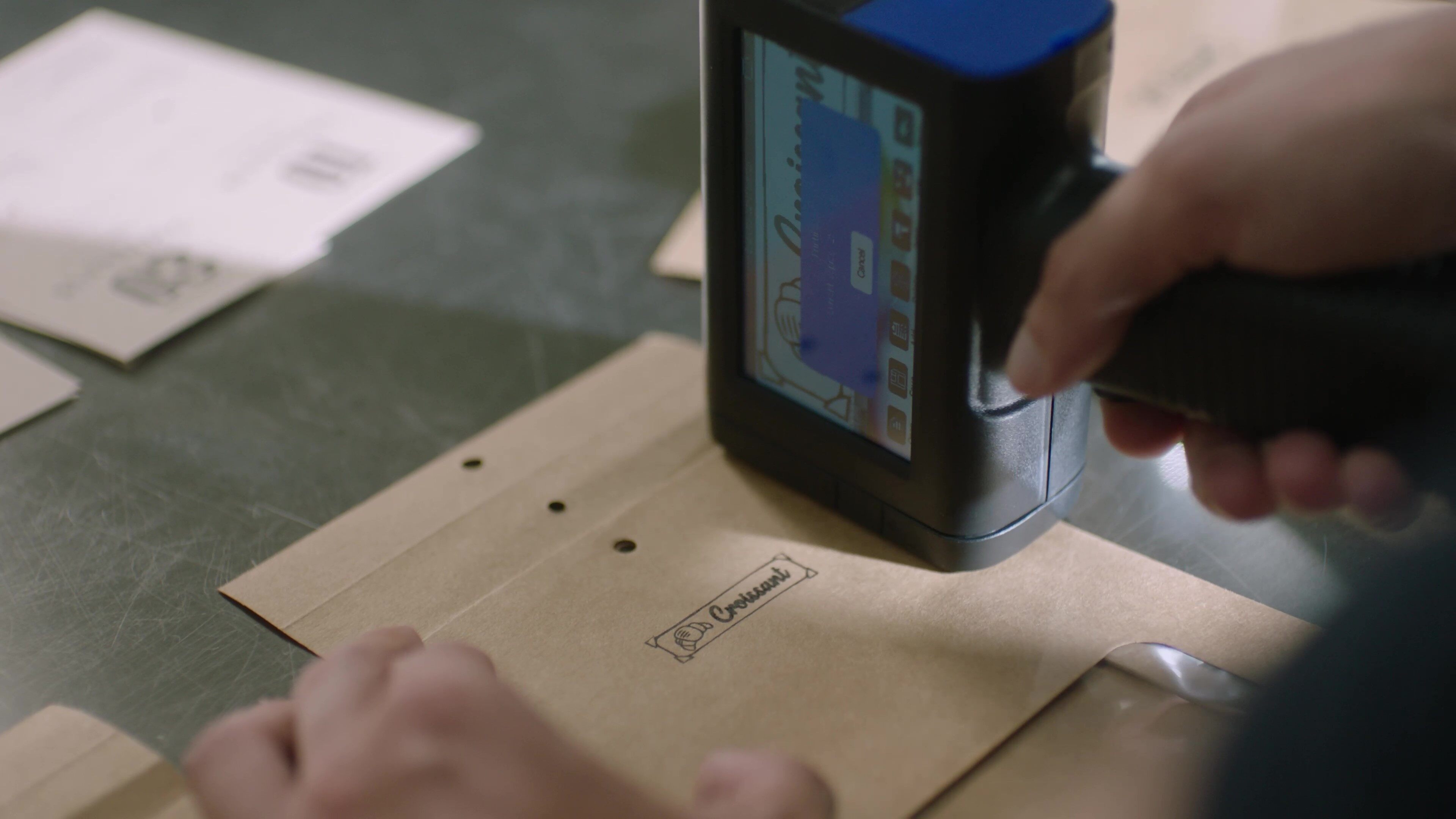
Many printers work completely without a computer. These standalone devices have built-in touchscreens, USB ports, and wireless connectivity that let you design, edit, and print directly on the machine. For industrial users, handheld inkjet printers print barcodes, QR codes, and batch numbers on packaging without any PC connection.
Types of computer-free printers include:
- Handheld inkjet printers (TIJ): Portable, touchscreen-operated industrial coding
- Standalone thermal label printers: Smartphone app-controlled labeling
- Mobile POS & receipt printers: Direct POS system connection
- Portable photo & document printers: Bluetooth/Wi-Fi from mobile devices
How Standalone Printers Work Without a PC
Standalone printers eliminate the need for a computer by embedding the intelligence—touchscreens, file management, and editing software—directly into the printer itself. Here are the three primary ways they operate independently:
On-Device Touchscreen Operating Systems
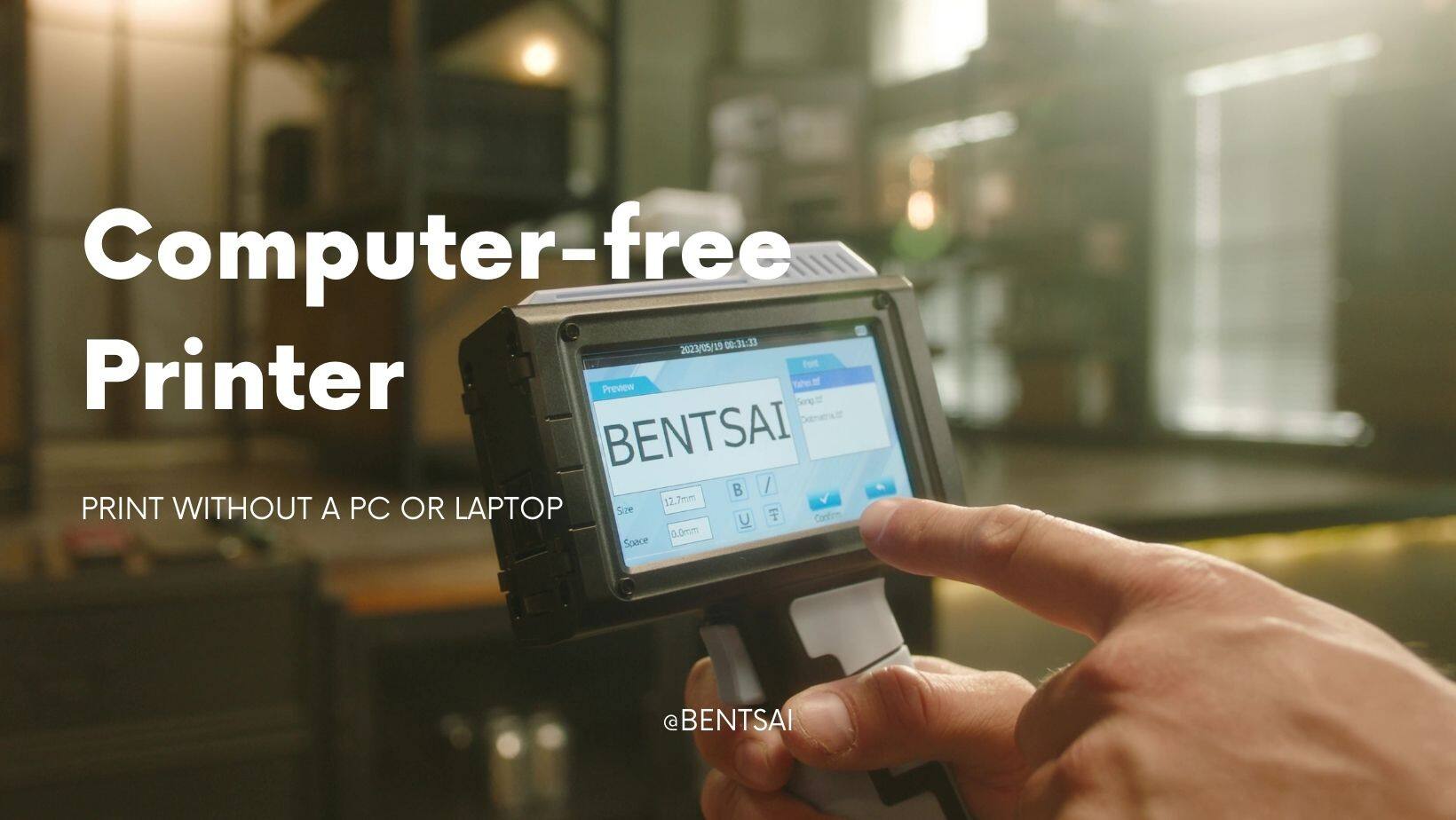
Most standalone industrial printers run lightweight operating systems like Linux or Android with custom UI overlays. Users interact directly with the printer's touchscreen to:
- Create and edit text, dates, and batch numbers
- Select fonts, sizes, and formatting
- Preview prints before marking
- Access saved templates and job history
The Bentsai handheld printers feature 4.3-inch to 5-inch color touchscreens with intuitive menus. Operators can create date codes, batch numbers, and barcodes in seconds—no computer or training required.
USB Flash Drive & OTG Data Transfer
USB flash drives are the most common way to transfer files to standalone printers. Users can:
- Load logo images (JPG, PNG, BMP)
- Upload fonts (TTF formats)
- Import variable data (TXT or CSV files for batch codes)
- Export print logs and job settings
Example workflow: Design a logo on a PC, save it to a USB drive, plug it into the printer, and print directly onto boxes within minutes. No network, no drivers, no ongoing PC connection.
Wireless Direct & Mobile App Connectivity
Some standalone printers offer Wi-Fi or Bluetooth for direct mobile printing. Users can:
- Print from smartphones or tablets via dedicated apps
- Send files via cloud storage (Google Drive, Dropbox)
- Receive firmware updates over Wi-Fi
- Manage print jobs remotely
While wireless features add convenience, many industrial users prefer USB file transfer for its reliability and security—no network dependency, no signal dropouts.
Top 4 Types of Computer-Free Printers
1. Handheld Inkjet Printers (TIJ)
These are portable, battery-powered printers used for industrial coding and marking. They print barcodes, QR codes, expiration dates, batch numbers, and logos directly on packaging materials.
How they work: Built-in touchscreen for text editing; USB ports for file transfer; onboard storage for templates and fonts. No computer needed.
Best for: Warehouses, manufacturing, logistics, food packaging, pharmaceuticals.
For a full range of handheld inkjet printers, explore Bentsai's computer-free industrial solutions.
2. Standalone Thermal Label & Barcode Printers
These printers create adhesive labels for shipping, inventory, and retail applications. Some models connect directly to Wi-Fi and can be controlled via smartphone apps—no PC required.
Best for: E-commerce shipping labels, retail price tags, warehouse bin labels, asset tags.
3. Mobile POS & Receipt Printers
Used in retail and hospitality, these printers connect directly to POS systems, tablets, or smartphones via Bluetooth or Wi-Fi. They print customer receipts, order tickets, and kitchen chits.
4. Portable Photo & Document Printers
Compact, battery-powered printers that connect wirelessly to smartphones. They print photos, documents, and notes via Bluetooth or Wi-Fi using dedicated mobile apps.
Best for: On-site photography, real estate documentation, field service reports.

Real-World Industrial and Commercial Application Examples
Expiration Date & Batch Coding on Production Lines
Food and beverage manufacturers print expiration dates and batch codes directly on bottles, cartons, and pouches using handheld TIJ printers. No computer needed—operators select pre-saved templates from the touchscreen, adjust the date, and print on the spot.
For reliable product packaging expiration date code printers, Bentsai offers portable solutions that work stand-alone.
(Printing expiration date codes directly onto plastic bottles using a computer-free handheld inkjet printer)
Barcode & QR Code Marking on Inventory & Plastic/Wood Packaging
Warehouse workers generate barcodes and QR codes on demand for incoming shipments, bin locations, and outgoing orders. A single USB-loaded file provides dynamic serial numbers, batch codes, and product identifiers—all without a PC.
To print GS1-compliant barcodes without a PC, Bentsai handheld printers support direct USB file transfer and touchscreen operation.
Field Service Asset Tagging Without a Laptop
Field technicians tag equipment, pipes, and infrastructure with QR codes and serial numbers using portable printers. The printer stores templates; technicians select the appropriate code, adjust the date or serial number on the touchscreen, and print—no laptop needed.
Key Factors to Consider When Choosing a Standalone Printer
- Surface Compatibility (Porous vs. Non-Porous): Cardboard, wood, and paper need water-based ink. Plastic, glass, metal, and coated materials require solvent-based fast-dry ink. Choose a printer that supports the right ink for your materials.
- Battery Life: For field use or full-shift warehouse work, look for 8+ hours of battery life. Bentsai handheld printers offer 8-10 hours of continuous operation.
- Print DPI: Higher resolution (300-600 DPI) ensures scannable barcodes and crisp text. 300 DPI is sufficient for date codes; 600 DPI is recommended for small QR codes and DataMatrix codes.
- Cost per Print: Calculate the total cost per print including ink, printhead wear, and maintenance. TIJ printers have a higher per-print cost than CIJ but much lower total cost of ownership due to minimal maintenance and no solvents.
Why Handheld Inkjet Printers Are the Most Versatile Standalone Solution
Handheld inkjet printers offer a unique combination of features that make them the most flexible computer-free printing option:
- No PC, no network, no software required: Everything is built into the device
- Print on anything: Cardboard, wood, plastic, glass, metal, fabric
- Variable data support: Print unique serial numbers and batch codes from USB-loaded files
- Portable and battery-powered: Use anywhere in the warehouse, factory, or field
- Low maintenance: Replace the ink cartridge when it runs out; no pumps, filters, or solvents
For businesses that need on-demand coding without the complexity of IT infrastructure, handheld TIJ printers deliver professional results with minimal training and zero computer dependency.
Frequently Asked Questions
Can I print from a USB drive without a computer?
Yes. Bentsai handheld printers have USB ports that accept flash drives. Load your logo images, font files, or variable data (TXT/CSV) onto the drive, plug it in, and select the file from the touchscreen. No computer is needed during printing.
Do handheld printers require an internet connection to print?
No. Bentsai handheld printers operate completely offline. You can edit, preview, and print via the touchscreen and USB drive without any network connection. Wi-Fi is optional and only needed for wireless file transfer or firmware updates.
How do I upload logos or QR codes to a standalone printer?
Via USB drive. Save your logo as a JPG, PNG, or BMP file on a USB drive. Insert the drive into the printer's USB port. Use the touchscreen to import the file into the printer's memory. Then select it for printing. No PC software or drivers are required.
About the Author

Matty Chen is an Inkjet Application Engineer, and BENTSAI Inkjet Printing technology Consultant. He specializes in industrial inkjet printing technologies, with a focus on handheld printers, thermal inkjet systems, and coding solutions. His work explores ink performance, material compatibility, and practical printing applications for businesses across manufacturing, packaging, and product customization industries.
Ask Question
No questions and answers

