How to Find a Good Printer for Custom Food Labels?
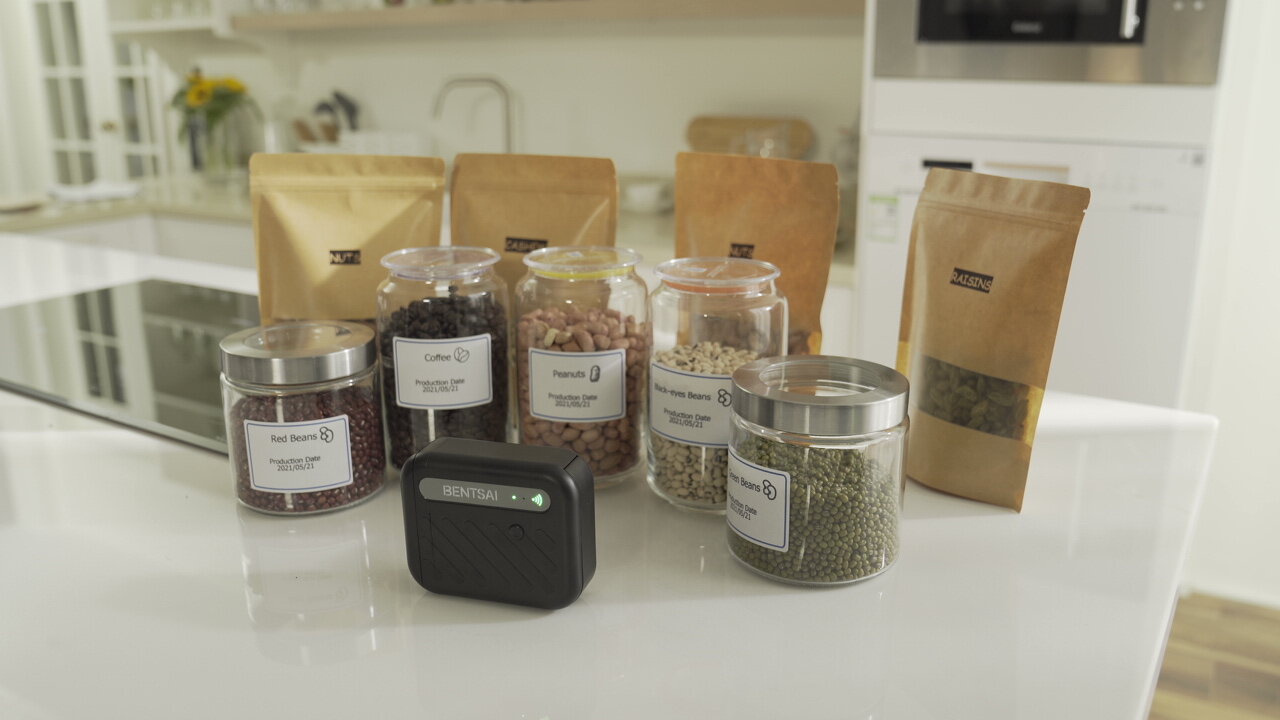
Custom food labels play a critical role in product identification, regulatory compliance, and brand presentation. From ingredient lists and expiration dates to barcodes and batch numbers, choosing the right printer directly affects label clarity, durability, and production efficiency.
With multiple printing technologies available, understanding their differences is key to making the right investment. This guide explains the main printer types, their pros and cons, and which materials they work best with.
Printing Technology Analysis
Different printing technologies are designed for different labeling needs. Each printer type uses a unique printing method. This affects print quality, cost, and label durability. Some printers are better for short-term use. Others are made for long-lasting food labels. Understanding these differences helps you choose the right printer for your packaging process.
Direct Thermal Printers
Best for:
Short-term labels such as shipping labels, receipts, and temporary food labels.
Pros:
- No ink or ribbon required
- Low maintenance
- Fast printing speed
Cons:
- Prints fade over time
- Sensitive to heat and light
- Not suitable for long shelf-life food products
Thermal Transfer Printers
Best for:
Long-lasting food labels requiring durability, such as frozen or refrigerated products.
Pros:
- Excellent durability
- Resistant to moisture and abrasion
- Wide material compatibility
Cons:
- Requires ribbons
- Higher consumable costs
- More maintenance than direct thermal
Inkjet Label Printers
Best for:
High-quality, full-color food labels and branding-focused packaging.
Pros:
- Supports color printing
- High image and text quality
- Ideal for short runs and customization
Cons:
- Ink cost can be high
- Ink may smear without proper drying
- Less durable without special inks
Laser Printers
Best for:
Office-based food labeling and low-moisture environments.
Pros:
- Sharp text output
- No ink drying issues
- Consistent performance
Cons:
- Limited material compatibility
- Not ideal for flexible or plastic labels
- Higher upfront cost
Thermal Inkjet Printers
Best for:
On-demand food labeling, date coding, and variable data printing.
Pros:
- High-resolution printing
- Supports variable data (dates, batch codes, barcodes)
- Compact and flexible for production lines
Cons:
- Ink selection must match material
- Typically single-color printing
Material & Equipment Compatibility
Choosing the right printer also means picking the right label material. Different materials work better with certain printers. Here are common options:
- Paper Labels: Compatible with most direct thermal label printers. Best for short term use and indoor-used packaging.
- BOPP / Synthetic (Plastic) Labels: Require thermal transfer or solvent-based inkjet solutions for durability.
- Textured / Felt Labels: Best handled by inkjet or thermal transfer printers with strong ink adhesion.
- Coated or Film Materials: Need specialized inks or ribbons to ensure fast drying and resistance.
Purchase Channels: Online vs. Local
When buying a printer, you can choose online or local stores. Each option has pros and cons.
| Purchase Channel | Pros | Cons |
| Online |
- Lower prices and better deals - Wider selection of models and brands - Convenient shopping from home |
- Shipping can take longer, especially internationally - Returns and exchanges can be complicated and costly - Cannot test the printer in person |
| Local |
- Can see and test the printer in person - Immediate pickup available - Faster and simpler after-sales service |
- Stock and models may be limited - Prices can be higher than online |
Choosing between online and local depends on your priorities. If you want convenience and variety, online may be better. If you want to see the printer and get fast support, local stores may suit you more.
Brand Factors & Compliance
Beyond hardware, the brand behind the printer matters—especially in the food industry.
1. Quality & Resolution
Labels must remain clear and readable throughout the product's lifecycle. High and consistent resolution ensures that dates, batch codes, and barcodes meet industry standards.
2. Professionalism
Reliable brands offer stable performance, consistent consumables, and documented technical specifications, reducing the risk of downtime or rework.
3. Compliance
Food labeling often involves regulatory requirements. Choosing a printer from a reputable brand helps ensure compatibility with compliant inks and standardized coding practices.
How Should You Choose?
The ideal printer depends on your business size and operating model:
1. Small Businesses & Startups
Flexible, low-investment printers that handle short runs and multiple materials are usually sufficient.
2. Medium-Sized Food Producers
Look for printers that balance speed, durability, and material compatibility to support growing volumes.
3. Large Manufacturers
Industrial-grade or semi-automated solutions may be necessary to maintain consistency, traceability, and high output.
What Does Bentsai Recommend?
For manufacturers looking for flexible on-site solutions, handheld inkjet printers are an ideal solution for printing food labels directly on packaging surfaces. Here at Bentsai, the model BT-HH6105F and BT-HH6210BL are both excellent options for food label printing.
BT-HH6105F Handheld Printer Gun:
Key Specifications:
- Printing height: 2.5mm to 12.7mm (half-inch range)
- Battery life: up to 8 hours
- Weight: 450g
- Ink type: Compatible with both water-based and solvent-based ink
Best Use Cases
- Date codes and batch numbers
- Small-character food labels
- Barcodes on packaging surfaces
- Integration into automated production lines
This model is well-suited for compact packaging where space is limited but clarity is essential.
BT-HH6210BL Handheld Inkjet Printer:
Key Specifications:
- Printing height: 0.8mm to 25.4mm (up to 1 inch)
- Battery life: up to 16 hours
- Weight: ~410g (lighter for extended use)
- Ink type: Compatible with both water-based and solvent-based ink
Best Use Cases
- Larger food labels
- High-visibility text and barcodes
- Long production shifts
- Flexible printing size requirements
Its extended battery life and wider print range make it ideal for demanding production environments.
Both models support automated conveyor printing and variable data, making handheld inkjet printers an ideal solution for printing food labels efficiently and compliantly.
Which One Should You Choose?
- Choose BT-HH6105F if you mainly print small-sized characters such as dates or batch codes on food packaging.
- Choose BT-HH6210BL if you need more refined printing, greater flexibility in print size, and longer standby time for extended shifts.
In Conclusion
Finding a good printer for custom food labels requires balancing print technology, material compatibility, operational demands, and compliance needs. By clearly defining your application scenarios and production scale, you can select a solution that delivers consistent, readable, and reliable results throughout your food packaging process.
About the Author

Matty Chen is an Inkjet Application Engineer, and BENTSAI Inkjet Printing technology Consultant. He specializes in industrial inkjet printing technologies, with a focus on handheld printers, thermal inkjet systems, and coding solutions. His work explores ink performance, material compatibility, and practical printing applications for businesses across manufacturing, packaging, and product customization industries.
Ways Businesses Can Drastically Cut Packaging Expenses and Boost Profits
How Handheld Printers Help Food Manufacturers Comply with Labeling Regulations
Ask Question
No questions and answers

